
A personal operating system (from Latin gubernare, to steer): tasks, projects, goals, habits and your day, with AI agents that take part of the work off your hands.
Beta. Things change quickly, and your files stay yours whatever happens.
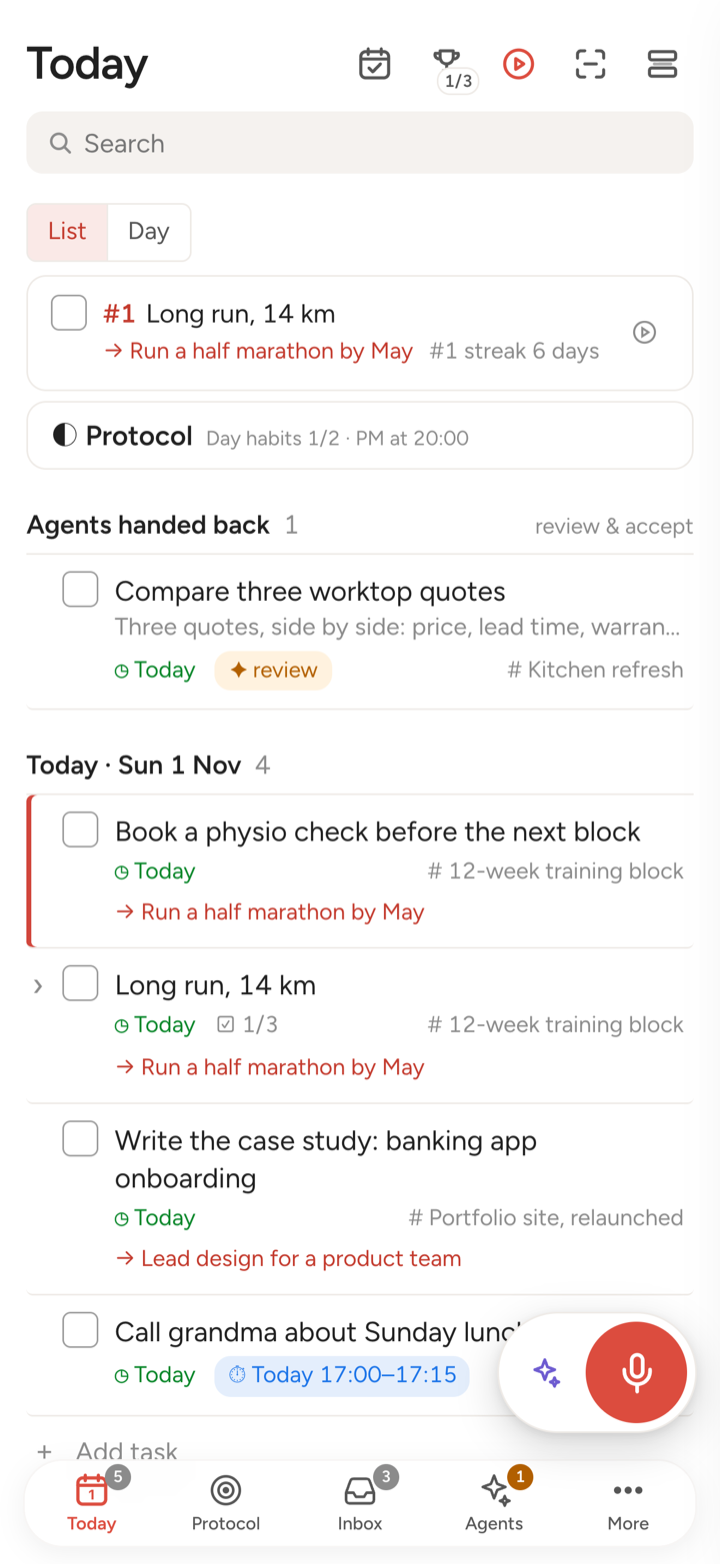
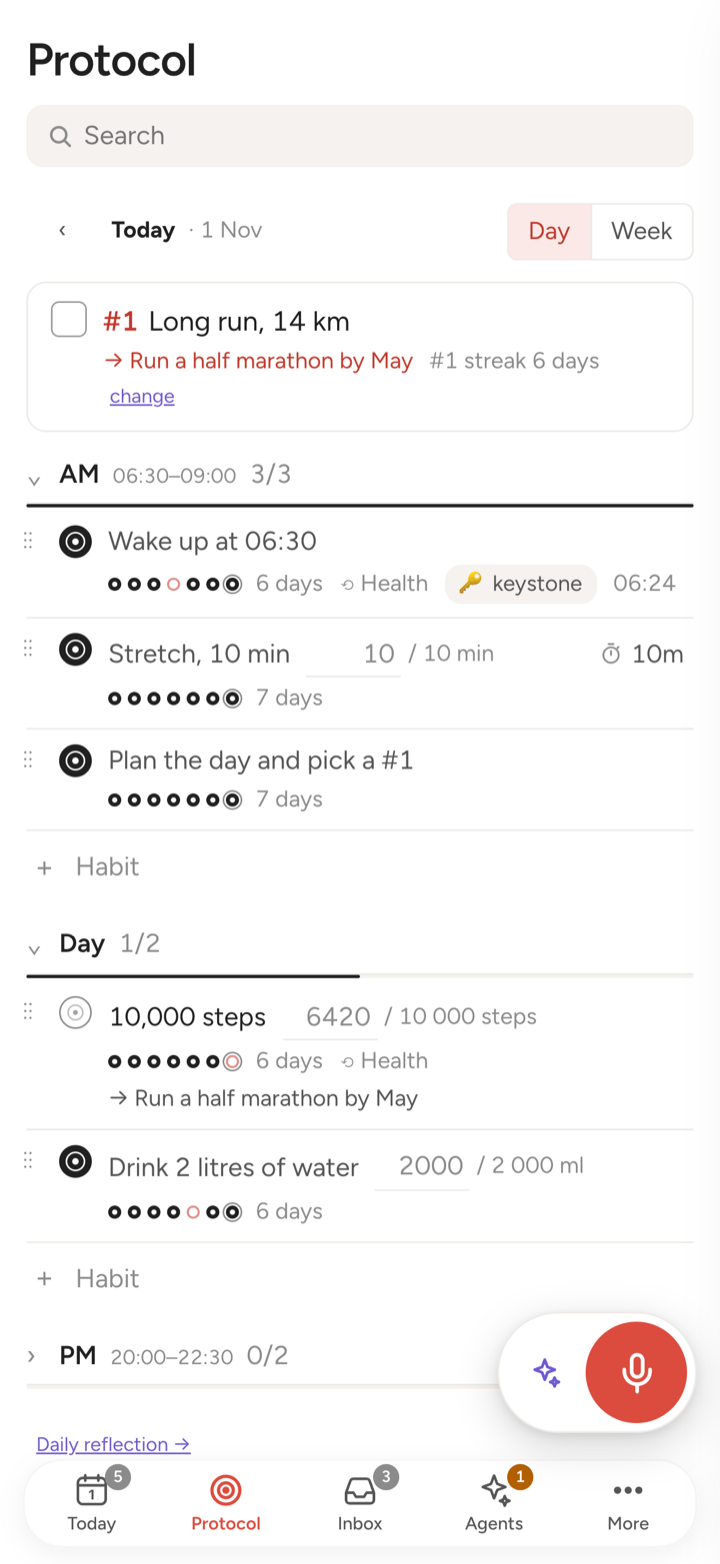
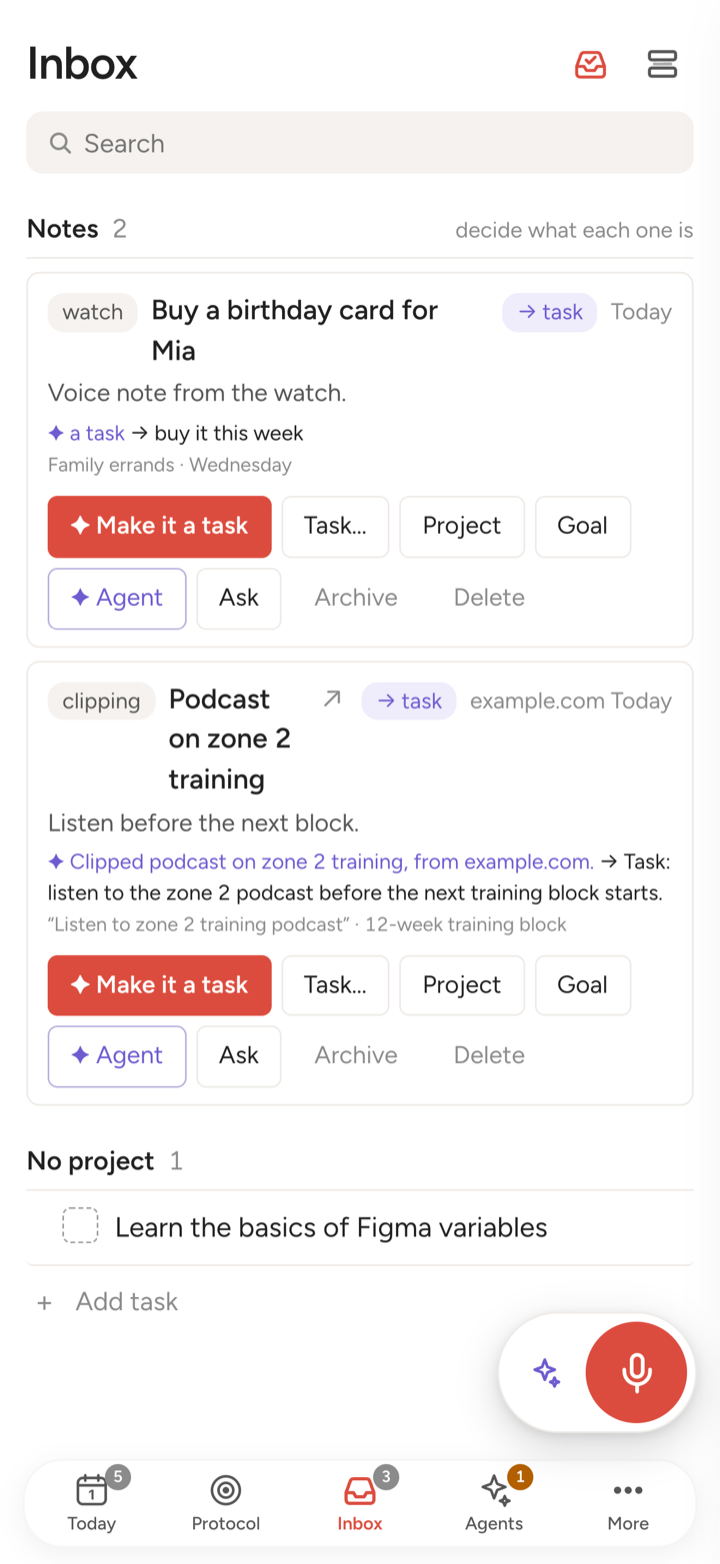
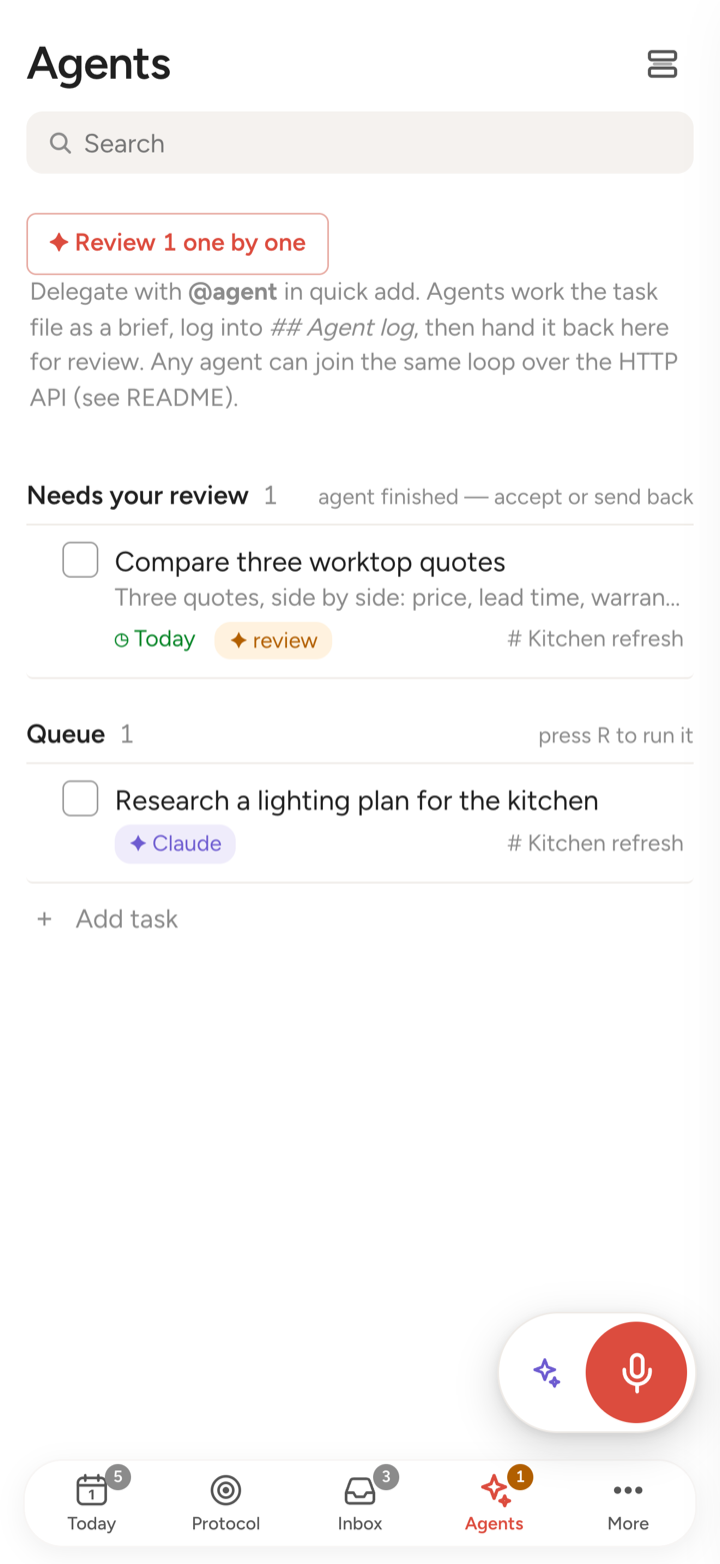
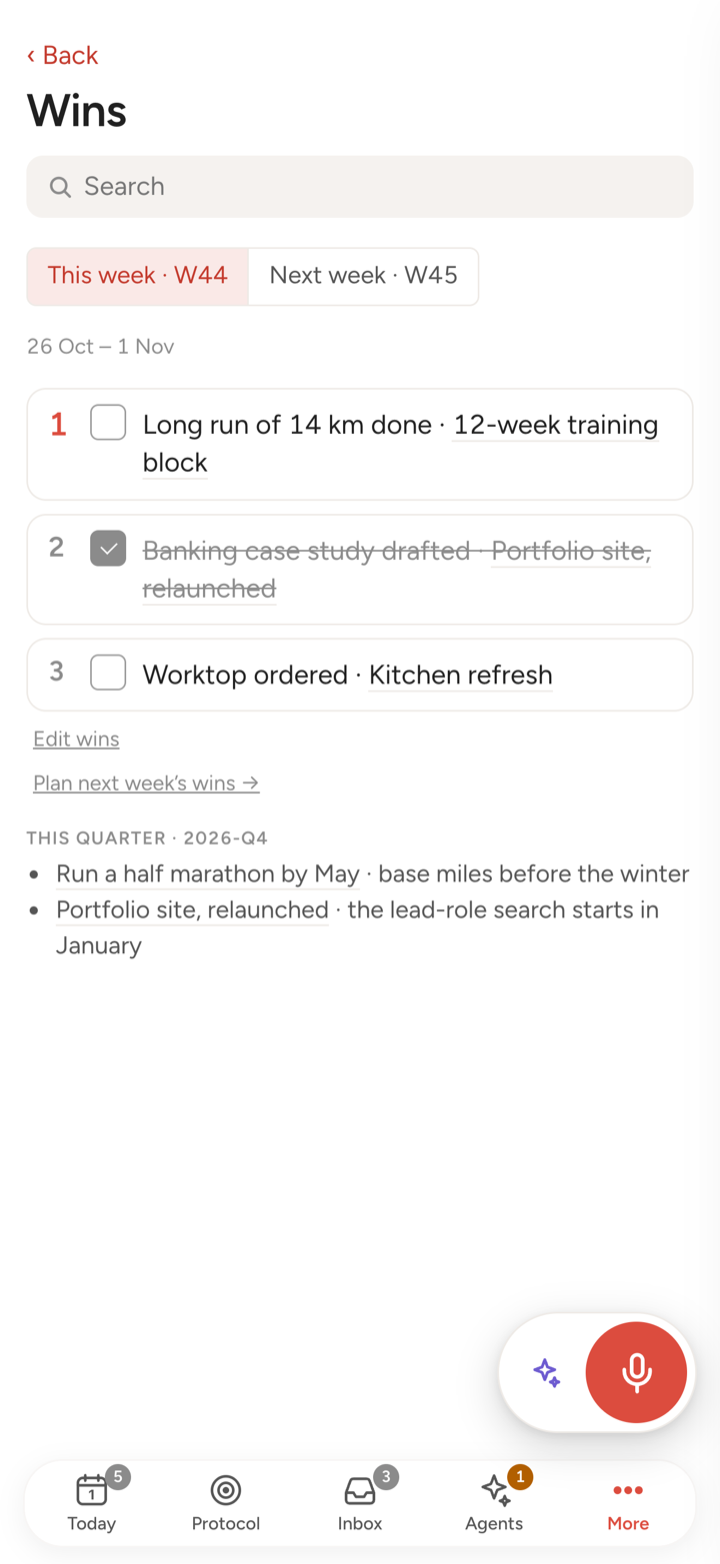
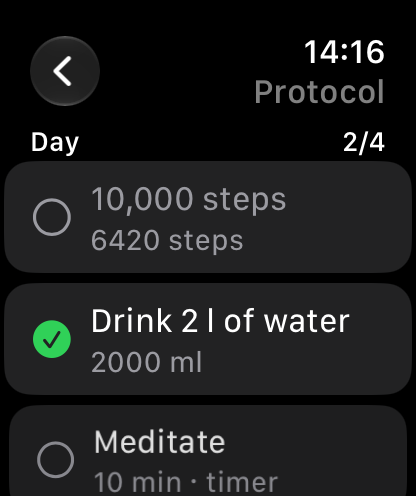
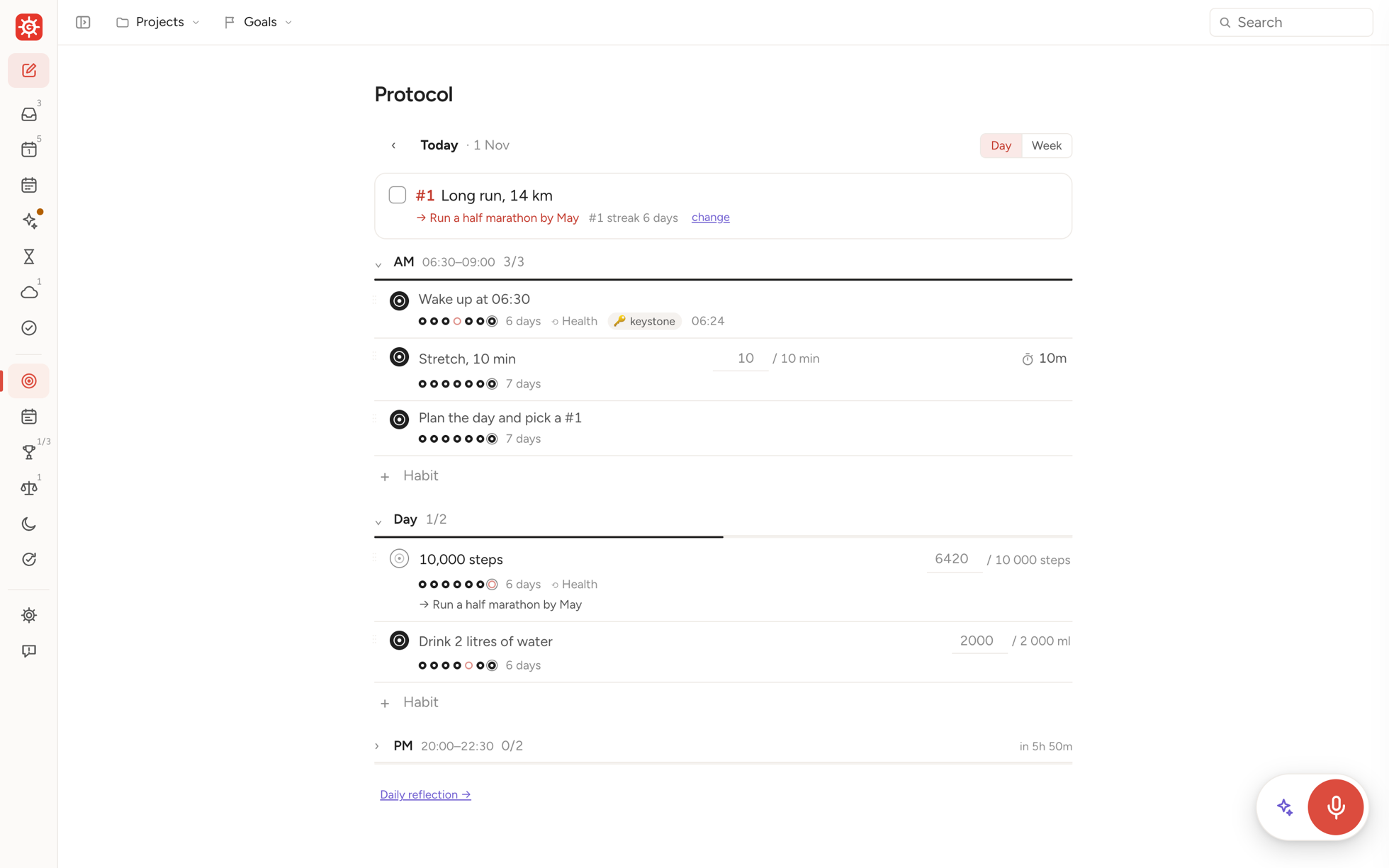
Screens from a demo system.
Yours, all the way down. Everything is plain Markdown files on your own Mac (or in your iCloud, if you like). Your Mac is the “server”. Agents run on your own Claude, ChatGPT or Gemini plan. No account with us, no tracking, and we keep nothing of yours except a report you send.
What it does
- Capture anything: type, dictate, share from any app, or speak to your Apple Watch. The inbox agent says what each item is.
- Plan the day around your calendar, with the one thing that matters most first.
- Hand tasks to agents: research, drafts, follow-ups. They report back for your review.
- Habits and protocols for your mornings and evenings, ticked off from Apple Health where it can.
- Weekly review and a model of what you’re responsible for, committed to and want.
Install the beta
You don’t have to do the setup yourself: your AI agent does it. On your Mac, open Claude Code, Codex or Gemini CLI, whichever your plan covers (how to get one), and paste:
Install Gubernos for me: read https://raw.githubusercontent.com/old-bozman/gubernos/main/SETUP.md and do the part "For the agent".It checks the Mac, installs what’s missing (asking first), creates your folder (on the Mac, or in iCloud if you’d rather), starts the app, sets up the phone connection and then interviews you to fill the system. It asks you for what only you can do: signing in to Tailscale on the Mac, clicking Allow in a few dialogs, and scanning two codes with your iPhone’s camera, one for the app and one to connect it. The phone needs nothing else.
By hand? In Terminal run the line below, then follow the install guide.
curl -fsSL https://raw.githubusercontent.com/old-bozman/gubernos/main/install.sh | bashThen the iPhone app (beta, through TestFlight):
- Install TestFlight from the App Store.
- Open testflight.apple.com/join/rBUGmgJG → Accept → Install.
- Scan the connection code your Mac shows.
No Mac? The iPhone app also works on its own over a folder in iCloud Drive: open Gubernos → Or use the phone on its own → Start a new system. You get tasks, habits, reminders, widgets and the watch. Agents, the chat, voice and planning with your calendar need the Mac.
Gubernos is in beta and changes quickly. Your files stay yours whatever happens: plain Markdown in your own folder.
Feedback: in the app, menu ☰ → Report bug / idea (with the Mac; answers come back to you there), or in TestFlight take a screenshot → Share Beta Feedback, or open an issue on GitHub. More help: Support.
What is a personal OS
What you are responsible for, what you have promised, what you want and what you still have to decide, wired to your projects, your tasks and today. Gubernos keeps that model in plain files you own and gives you, and your AI agents, one place to steer it.
Your life as a wheel: today at the hub, the reasons around it
Each ring is a slower horizon. Anything on an inner ring links outward to why it matters, so a task is never just a task, and an area is never just a wish without a next step.
- 1Today’s #1Long run, 14 kmThe one result that makes the day a win
- 2Project12-week training blockAn outcome with an end, made of tasks
- 3GoalRun a half marathon by MayNext to it sit your promises, wishes and open decisions
- 4AreaEnergyNever done; it is why the rest exists
Life loops: a day inside a week inside a quarter
Every loop plans, does and looks back. The day reports to the week, the week to the quarter, and each review carries what you learned back into the model.
A morning plan that fits your real calendar, the habits that frame the day, one result that matters, and a short look back.
Three results, not a to-do list. The review shows habits, finished work and what slipped, and suggests next week’s wins.
Where you choose what deserves the next months, close open decisions, and drop what no longer fits.
Everything that comes in feeds the loops. A voice note on the watch, a shared link, a mail, a thought at 2 am: it lands in the Inbox, an agent reads it and proposes what it is (a task, a reference, a note for later), and you decide with one tap.
Everything stays with you. Gubernos keeps nothing of yours except a report you send.
Your system is a folder of plain Markdown files on your Mac (or in your iCloud Drive, if you like). The apps and the agents read and write those files on your devices; your iPhone keeps a copy from the Mac. There is no Gubernos account and no analytics. A small relay passes notifications through without keeping them, and carries the bug reports you send to us, where we keep them to fix the app.
Capture, today, habits, reminders. Keeps a copy of your files from the Mac, so it works offline too.
your Mac
One folder of Markdown: tasks, projects, goals, habits, days, reviews. Readable in any editor, today and in twenty years.
folder
Gubernos for Mac: planning with your calendar, voice, the chat. Your phone reaches it from anywhere, once paired with it.
Claude Code, Codex or Gemini on your Mac, with your own subscription. They work in the same files.
There are none. No account to create, no tracking, and we keep nothing of yours except a bug report you choose to send. One small relay carries those reports and passes notifications to your iPhone without keeping them. The code is open source, so anyone can check.
Your agent can do anything. The app gives your life’s routines a shape.
You can already ask Claude or Codex to work in a folder of notes. Gubernos adds the structure an agent does not keep on its own: the model, the loops and a screen for each step, on your Mac, phone and wrist.
With your agent, in plain words
- Open-ended work: research, drafts, analysis
- Anything you can describe
- Best at a desk
In Gubernos, a screen for each step
- The morning plan against your real calendar
- Habits and protocols, ticked on the watch
- The inbox, sorted by an agent, decided by you
- Weekly wins and the weekly review
- Hand a task to an agent, then check its work and accept it
- Personal flows that need you in the loop, wherever you are
Both read and write the same files. Use either, or both.